
Touch Screen Kit
10 Inch
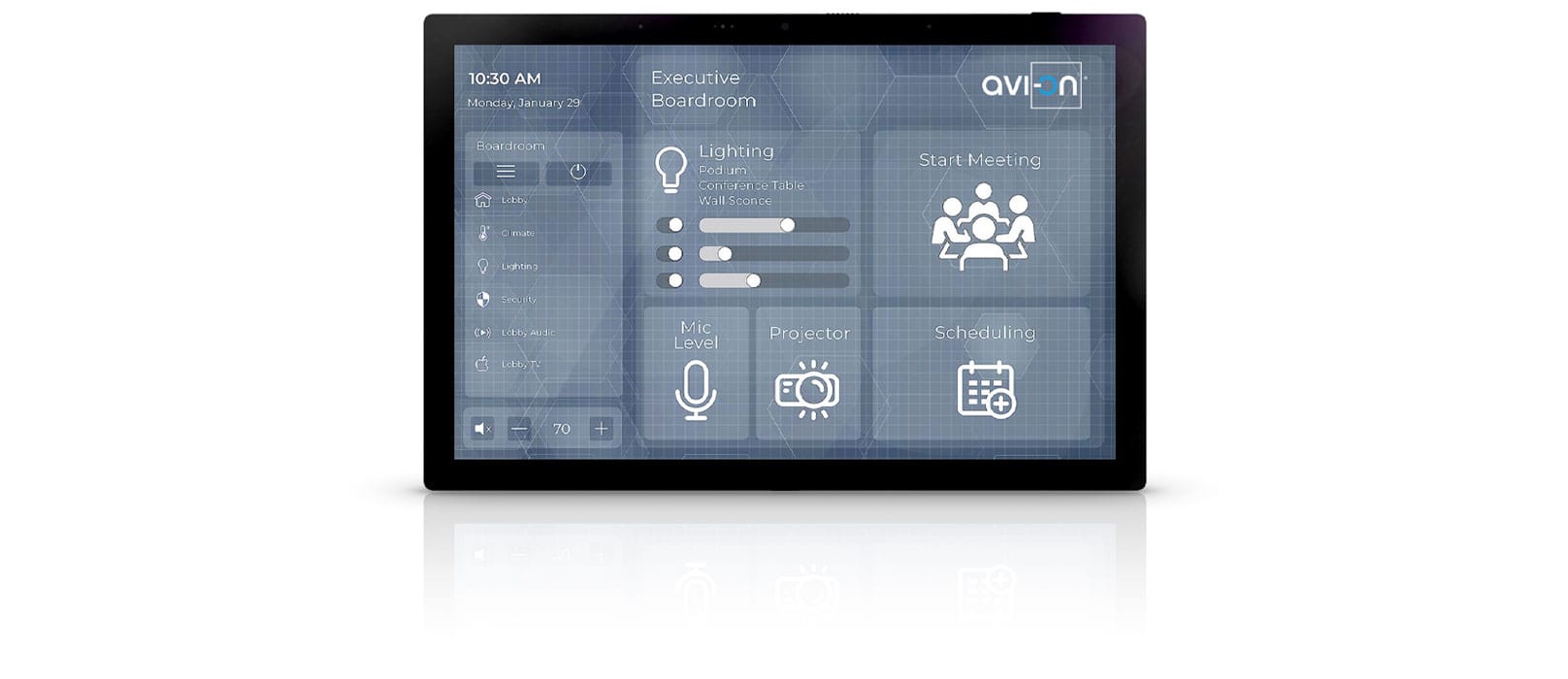
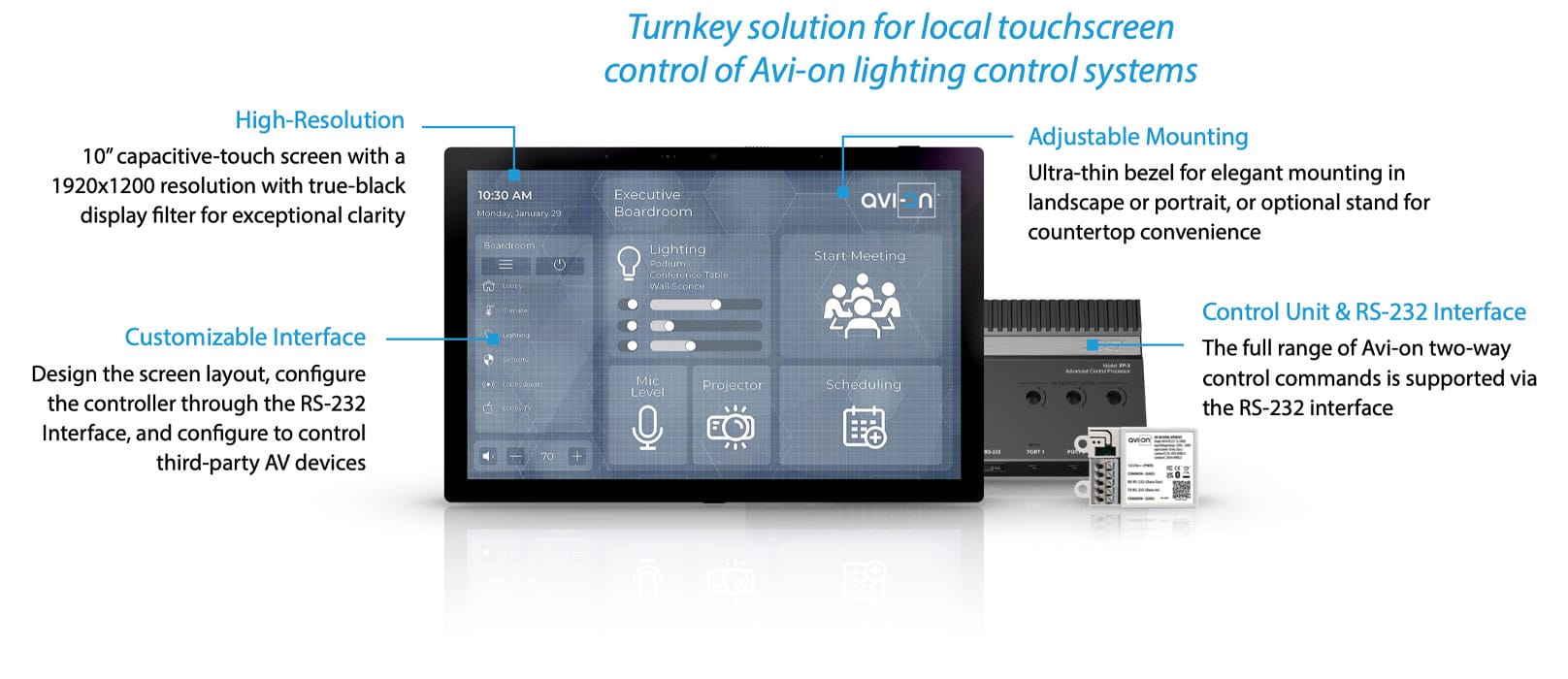
The Avi-on® 10” Touch Screen Kit provides a turnkey solution for touch-screen control of Avi-on lighting control systems. The touch screen is fully customizable to support any desired layout and is available with both wall-mount and tabletop mount kits (optional).
The screen communicates through a system controller and the Avi-on RS-232 Serial Interface. The full range of two-way Avi-on control commands is supported through the RS-232 interface.
Available in Black or White.
Touch Screen FEATURES
Touch Screen Details
Installation
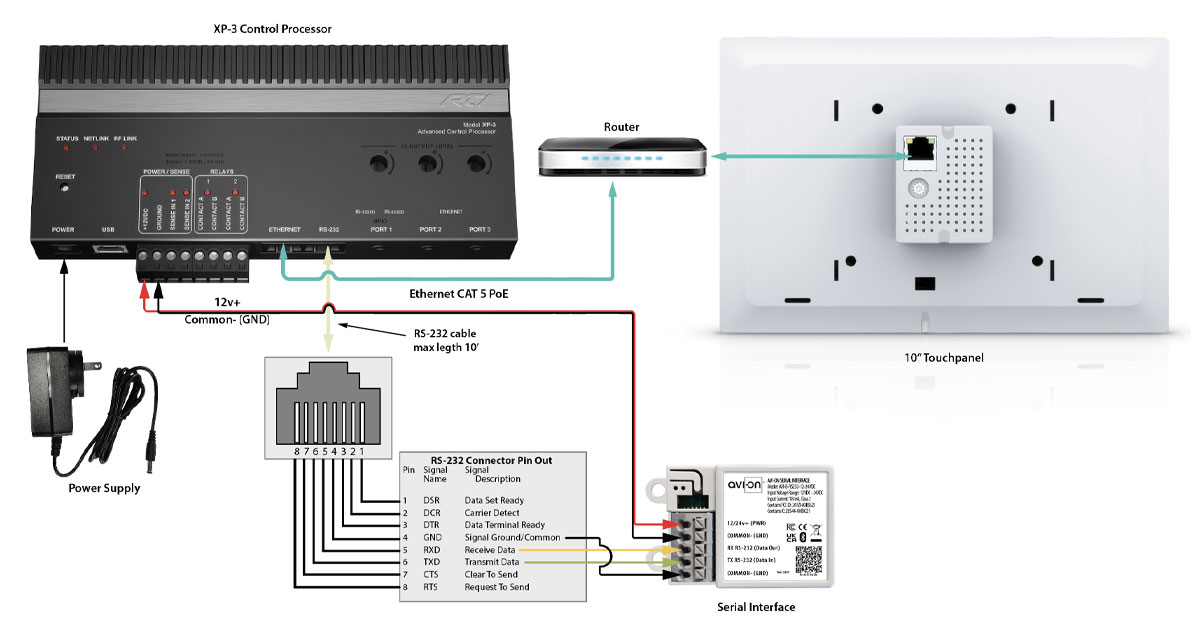
Mount the touch screen on the wall or use a tabletop mount kit. Mount the controller in a suitable location with reliable access to the Avi-on network (near lighting controllers or power packs). Connect an Ethernet cable between the screen and the controller, and wire the RS-232 Interface to the controller. Apply power to the controller and provide 12 VDC to the RS-232 Interface.
Programming
Design the screen layout using the provided Windows-based software toolkit, and configure the controller interface to communicate through the RS-232 Interface (standard serial configuration).
Program the control commands using the Avi-on Serial Control Protocol documentation. Some advanced control actions may require additional programming of the Avi-on network.
Programming services for lighting control applications are available from Avi-on.
Applications
Ideal for conference rooms, control rooms, stadium command centers, and any location requiring a locally communicating, customizable touch-screen interface.
The touch screen can also be configured (by others) to control a wide range of third-party AV devices.
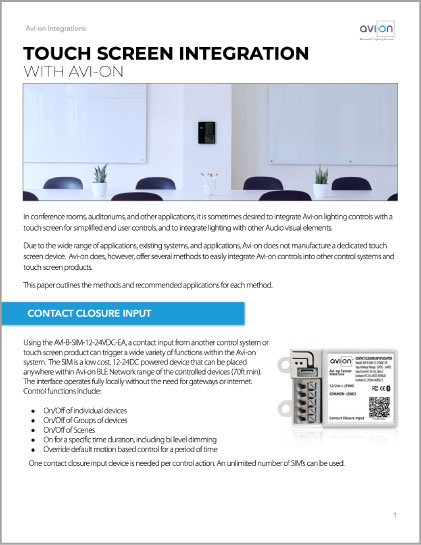 Touch Screen Integration (PDF)
 Quick Set-up Guide (PDF)
 Commercial Installation Guide (PDF)
Touch Screen
PARTS & ORDERING
| Part Number | Description | Application | Color |
|---|---|---|---|
| AVI-RTI-IST10-B | 10” Touch Screen | Wall or Counter Control | Black |
| AVI-RTI-IST10-W | 10” Touch Screen | Wall or Counter Control | White |
| AVI-KIT-RTI-XP3 | Touch Screen Control Unit & RS232 Interface | Touch Screen Controller | - |
| AVI-RTI-IST10-FMK | Wall Mount Kit | Wall Mount | - |
| AVI-RTI-IST10-STAND | Table Mount Kit (Includes Power Supply, or use PoE) | Counter Mount | Silver |
To order please contact Avi-on sales at (877) AVION-US or prosales@avi-on.com
for order information or integration support.
Additional
Images
See the full range of included components and optional accessories that streamline installation and optimize performance of the Avi-on 10 -Inch Touch Screen Kit.
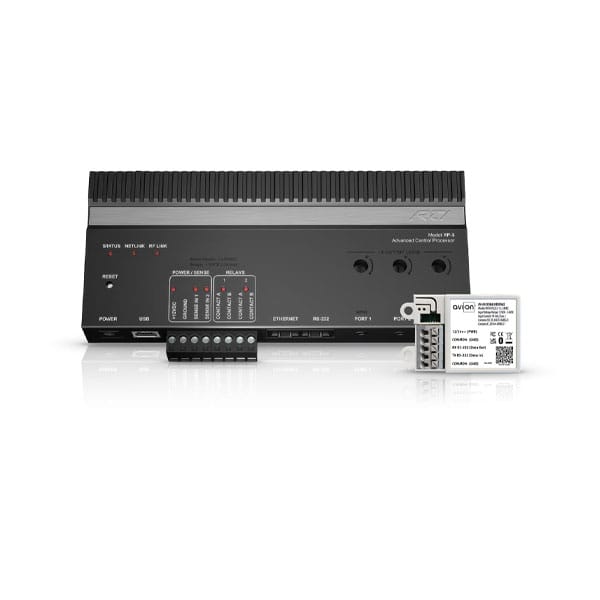
Serial Interface
AVI-KIT-RTI-XP3
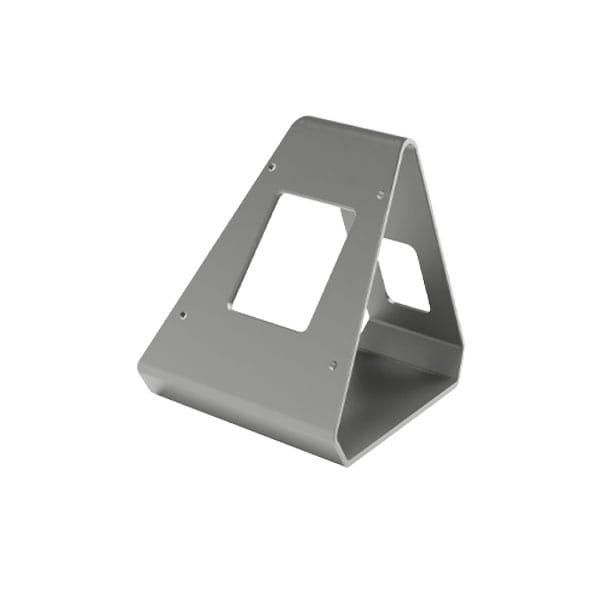
AVI-RTI-IST10-STAND
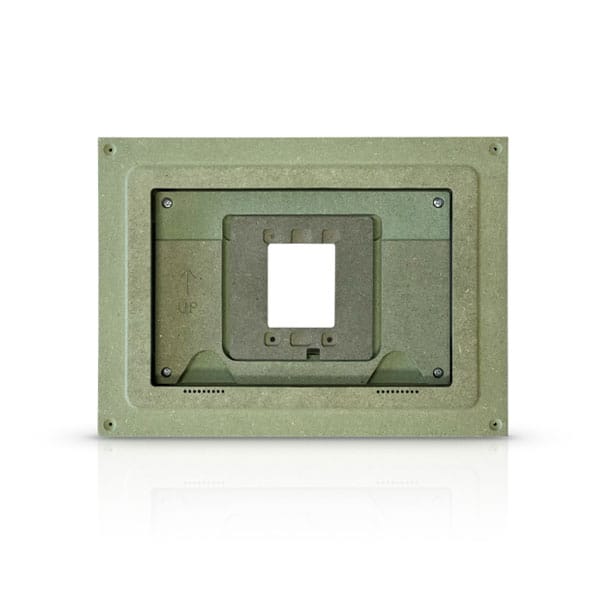
AVI-RTI-IST10-FMK
Touch Screen
Specifications
The following specifications highlight the 10-Inch Touch Screen Kit’s expansive display, advanced performance characteristics, and seamless integration across Avi-on control environments.
Touch Screen
Microphone: Built-in digital microphone array with mute button; hardware-based echo cancellation
Macro Capability: Total number of macros limited only by available memory
Mounting: Wall-mount or aluminum table stand (available separately as a kit including power supply; not included)
Wall Cut-Out Dimension: 4.765″ × 4.5″ (121.0 mm × 114.5 mm)
In-Wall (Wall Box) Depth: 1.34″ (34.0 mm); allow additional space for the RJ-45 connector
Control Processor
RS-232 Serial Interface
Warranty: 5 years; 10 years optional
*When communicating through the mesh, range is essentially unlimited (5000ft+)
Wall Mount
350 mm x 270 mm x 55 mm
Installation: To be installed in ½” drywall.
Table Mount
Color: Silver anodized aluminum, black rubber feet
Dimensions (H × L × W): 5.25″ (133.4 mm) × 5.25″ (133.4 mm)
Front height: 5.27″ (144.8 mm)
Rear height: 2.75″ (69.9 mm)
Weight: 7.05 oz (200 g)
Included in the Box: IST stand, mounting screws (4 + 2 spare), 12 VDC / 2A power supply
Avi-on
featured products
The Avi-on family of products consists of load controllers, sensors, wall stations and connectivity products that work together in one big happy family. Load controllers manage dimming, schedules, scenes, groups/zones and more while the sensors are able to detect motion with all new state-of-the-art features. These products work seamlessly with the Av-ion cloud to provide a robust wireless ecosystem.